



WordPress outsourcing is hiring external developers to build, modify, or maintain WordPress sites. Over the past few years, outsourcing WordPress development has evolved from simple cost-cutting to accessing specialized expertise that is often hard to find locally.
This approach provides operational elasticity, allowing you to scale your development capacity up or down based on project demand without the fixed costs of permanent hires. However, these benefits are not automatic.
Success depends entirely on how you manage the engagement. To protect your investment, you must define clear requirements, maintain open communication, and enforce strict quality standards.
This guide provides a practical playbook for managing outsourced WordPress projects effectively. We will explore how to find the right WordPress experts, define the scope of your project, manage quality, and protect your assets throughout the process.

Get matched with the developer
that is perfect fit for your WordPress or WooCommerce needs.
Start a project
How to successfully manage an outsourced WordPress project
While managing an outsourced project, success depends on a repeatable process that eliminates guesswork for both you and the developer. To get the best results, you need to stay involved at every stage, from selecting a partner to the final code review.
1. Define your requirements before you start
A Scope of Work is a document defining project deliverables, timelines, and technical requirements. Without one, projects suffer from scope creep (uncontrolled growth of project tasks during development), leading to missed deadlines and budget disputes.
A comprehensive SOW should include these technical components:
- Information architecture: Map the visitor journey with visual sitemaps and user flow diagrams.
- Technical stack: Specify PHP version, theme framework, and page builder requirements.
- Plugin list: Define approved plugins to prevent bloat and ensure performance.
- Performance requirements: Set Time to First Byte (time until browser receives first byte of data) under 200ms and PageSpeed score of 90+ on mobile.
Documentation must be a required deliverable rather than an afterthought. Your contract should mandate inline code comments, a README file for custom-coded widgets and features, and a user manual for your content editors. This ensures that your internal team can manage the site even if you stop working with the original developer.
2. Choose the right outsourcing partner
Freelancers offer lower hourly rates and direct communication, but they carry high bus factor risk (if one person becomes unavailable, the project stops). Agencies provide redundancy and a wider range of skills, though they cost more and require communication through a project manager.
When to outsource:
- Capacity constraints beyond your current team.
- Specialized skill gaps in your organization.
- Deadline pressure requiring additional resources.
Red flags when vetting partners:
- Vague scope responses that avoid specifics.
- Impossible timelines that promise unrealistic delivery.
- Hidden costs that emerge after the project starts.
To vet a WordPress partner effectively, move beyond surface-level portfolio reviews. Ask specific questions that reveal technical depth:
- Database optimization: “What specific database challenges did you solve for the high-traffic sites in your portfolio?”
- Security protocols: “How do you secure admin-ajax.php requests?” A qualified developer should mention nonces and capability checks.
- Error handling: “How would you debug a 500 error that only appears in production but not on staging?”
Before signing a large contract, hire the developer for a small, self-contained task like building a custom plugin. This reveals actual code quality and communication style with minimal financial risk.
Vetting candidates through a technical lens ensures you find a partner who follows WordPress coding standards rather than someone who simply relies on “copy-paste” solutions.
3. Establish a clear communication infrastructure
Communication infrastructure is the system of tools and protocols that keeps distributed teams aligned. When teams are separated by distance, information gets lost without a predictable system. Avoid using email for daily tasks as it makes tracking project versions difficult and hides progress from the team.
Deploy a balanced communication stack:
- Real-time messaging tools. Use Slack or Microsoft Teams for quick questions and urgent updates.
- Task management platforms. Use Jira, Trello, or ClickUp as your official system of record. Every task, deadline, and technical requirement must live here.
- Video conferencing. Use Zoom or Google Meet for regular calls for sprint planning and live demos of the work.
- Asynchronous video tools. Use tools like Loom to record your screen when reporting bugs. Showing a technical issue is much more effective than trying to describe it in writing.
Designate a single project manager as the point of contact between teams. This ensures smooth communication and prevents conflicting instructions.
Establish overlapping hours, a 2-4 hour window when both you and the developers are online simultaneously to resolve blockers immediately. Outside this window, use asynchronous communication so people respond when they start their workday.
Define Response Time Service Level Agreements upfront, such as:
- Critical blockers: Acknowledge within 2 hours.
- Routine questions: Respond within 24 hours.
Require a mandatory weekly status report covering tasks completed, tasks in progress, budget burn rate, risks or blockers, and the plan for the coming week.
4. Navigate cultural and time zone differences
Working across different regions requires an understanding of diverse communication norms. In some cultures, developers may be very direct and offer suggestions freely. In others, they may be hesitant to deliver bad news or challenge your specifications. Adapt your management style to encourage transparency. Instead of asking yes/no questions, use open-ended questions like, “What risks do you foresee with this approach?” This makes it easier for the developer to share honest feedback.
Use the follow-the-sun model (handing off work at day’s end so offshore teams complete it overnight) to increase productivity. If the time difference between you and your partner is extreme, be fair with meeting schedules. Rotate your meeting times so that the burden of very early or very late calls is shared equitably between both teams. This builds mutual respect and keeps morale high for everyone involved in the project.
However, this strategy only works if your documentation is complete, ensuring developers have everything needed to proceed without waiting for clarification. Set realistic deadlines that both parties agree are achievable.
5. Adapt Agile for distributed teams
Agile is an iterative development approach built on constant communication and short delivery cycles, which can be challenging when your team is spread across the globe. To work with distributed teams, modify standard rituals for asynchronous collaboration.
This ensures that the project keeps moving forward even when you are not online at the same time as your developers.
You can keep your team aligned by adjusting these three key areas:
- Asynchronous standups: Use bots like Geekbot to collect text-based updates. Every morning, the bot asks: what did I do yesterday, what will I do today, and are there any blockers?
- Synchronous sprint reviews: Keep demo sessions as live video calls. Seeing working software is the only way to verify progress. If a live call is impossible, have the developer record a detailed video walkthrough.
- Rigorous sprint planning: Every task must have clear acceptance criteria (specific rules a feature must meet to be considered complete). This allows offshore teams to work independently without pausing to ask for clarification.
6. Implement quality assurance from day one
Quality assurance is a professional engineering discipline that verifies code meets requirements before deployment.
Relying on a developer to test their own code is often a conflict of interest, as they are usually too close to the work to spot their own mistakes. Instead, you should build an independent QA layer into your workflow to catch issues early.
A strong QA process involves several layers of verification:
- Automated testing. Use tools like PHPUnit to verify your site’s backend logic. For the frontend, end-to-end testing tools such as Cypress or Playwright can simulate real user actions, such as adding an item to a cart and completing checkout, to ensure nothing breaks.
- Manual QA for user experience. Automated tools cannot tell if a site is difficult to use. Manual testing is still essential for checking how the site renders across browsers and ensuring it is fully responsive on actual mobile hardware. You should also perform accessibility audits to meet WCAG2 guidelines.
- Coding standards. Use automated tools like PHP CodeSniffer. This ensures the developer is following official WordPress Coding Standards. If the code fails this check, it should be rejected before it reaches your website.
- Proactive security. Never leave security for the end. Ensure your developers are sanitizing all data that enters the site. Make two-factor authentication (2FA) a must for all admin accounts and use WordPress nonces for custom API endpoints to prevent unauthorized access.
Test all features in staging environments (duplicate sites for testing) to prevent production errors. Never test directly on the live site.
If you don’t have the technical know-how yourself or within your team, you can work with an independent quality analyst to cross-check the work that the developer has done.
7. Get the financial model right
Choosing how to pay for your project is essential to ensure you don’t go overbudget, while maintaining project quality. Fixed-price contracts work for a defined scope, while time-and-materials contracts suit evolving requirements. Choose based on your project’s characteristics. Here are the trade-offs between freelancers vs. agencies and the three most common pricing structures:
- Fixed-price contracts: Best for small, well-defined tasks where requirements are set in stone. Vendors might cut corners if the project takes longer than expected to protect profit margins.
- Hourly contracts: Suited to complex builds or agile projects where the scope may change. Requires close monitoring to prevent budget overruns.
- Retainer arrangements: Reserve a set number of developer hours per month for ongoing support. Inefficient if the workload is inconsistent, as you pay for unused hours.
Budget for hidden costs beyond the developer’s fee:
- Internal project management time.
- Technical debt remediation.
- Premium plugin and theme licenses.
Avoid depending on an agency’s developer licenses. You might lose access to critical security updates the moment you stop working with them.
Retain complete ownership of the codebase with full access after project completion. Specify this in your contract to prevent disputes.
Tie payments to milestone approvals rather than specific dates. Pay when “Frontend is complete” or after “Final QA sign-off” rather than “on the first of the month.” This aligns the developer’s financial incentive with delivering quality work.
| Complete pre-sign-off checklist Before approving final delivery and releasing payment, complete these verification steps: Verify acceptance criteria on the staging environment. Confirm backup completion and storage location. Collect all credentials and access information. Review documentation for completeness. Test all functionality across browsers and devices. Approve the final invoice against milestone deliverables. |
Common challenges when managing outsourced WordPress projects
Even with a great partner, managing an outsourced project requires active oversight to avoid specific pitfalls.
Top pitfalls of outsourcing
- Communication breakdown: Undocumented requirements force developers to fill gaps with assumptions, resulting in a product that works “as coded” but not “as intended.”
- Uncontrolled scope creep: Small tweaks accumulate until they consume your budget and push back your launch date.
- Lack of independent testing: When the person who built a feature also verifies it, bugs persist in the live site.
- Knowledge loss: Without clear documentation and inline code comments, institutional knowledge leaves with the developer.
How to rescue a failing project
If your project is struggling, take decisive action:
- Halt all work on new features immediately.
- Conduct a code audit against original requirements.
- Define a Minimum Viable Product by cutting non-essential features.
- Shorten feedback loops with daily or bi-weekly check-ins.
Why outsourcing WordPress projects to Codeable leads to better outcomes
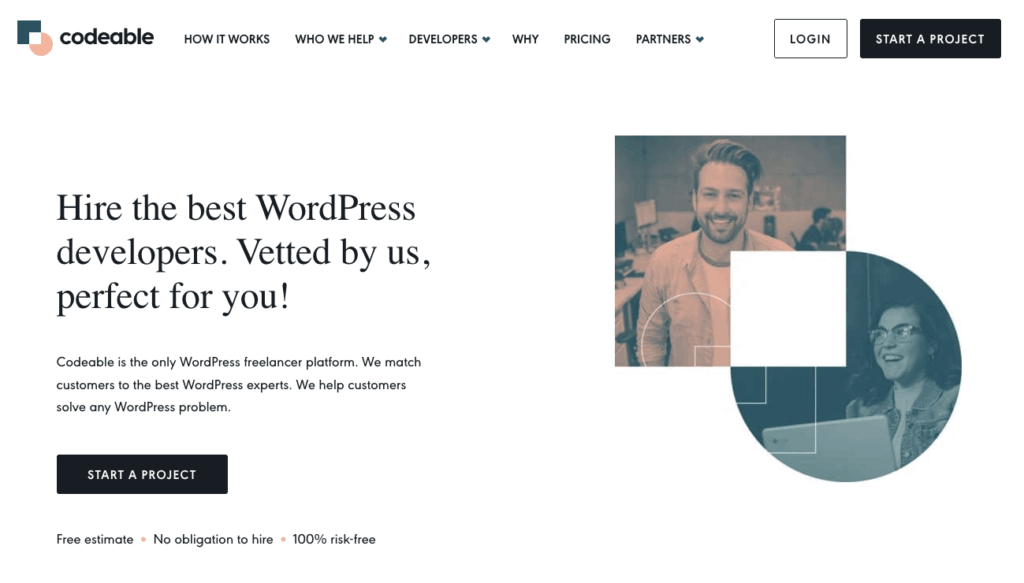
Codeable is a platform connecting businesses with pre-vetted WordPress developers. The platform screens applicants through a six-stage process, including technical exams, live coding tests, and a 90-day trial period. Codeable vets the top 2% of WordPress developer applicants.
The platform uses a single-price estimate model that removes bidding wars, ensuring fair pricing based on skill rather than lowest cost.
Codeable supports various engagement models to ensure long-term success:
- Project-based tasks. Ideal for one-off custom builds, specific feature development, or urgent technical fixes.
- Retainer arrangements. Best for ongoing development, performance optimization, and consistent site maintenance.
- Staff augmentation. Contact the Codeable team to embed pre-vetted developers directly into your existing internal team for large-scale projects.
- Fixed-price packages. Standardized services for WordPress audits, one-off consultations, and security plans.
Escrow holds funds until project completion. Every engagement is backed by a 28-day bug-fix warranty, providing reliable post-project support for bug fixes.
So, ready to scale your WordPress development?
Clear communication, fair deadlines, and mutual respect are the cornerstones of great project outcomes. With Codeable, you partner with a proven expert who understands the technical demands of high-performance WordPress sites and fosters a positive working relationship.
Get a free, no-obligation estimate for your project on Codeable today.

20 000+ businesses of every shape and size have already trusted us to hire WordPress developers and scale their growth.
 Dream It